The game that gets people to meet, move around and discover more
A bingo game on your phone where every square is a reason to walk up to someone, find a booth or discover a place. As the organiser you get photos, contacts and leads afterwards. No app: participants scan a QR code and are playing in five seconds.
Play a round of MingelBingo right on your phone
The quickest way to understand MingelBingo is to play it. Scan the code and try our demo card, the same experience your participants get.
 Point your phone camera here Takes under a minute · No app



MingelBingo is an activity for networking and movement, a game on your phone that gets people to walk up to each other, move around the room and remember the evening afterwards.
How MingelBingo works
Mingle, Expo or Always-on
Same game, different goals. Choose based on what the event should lead to.
We set everything up. You follow the event live.
- Questions that fit the purposeWe write the questions based on what the event should lead to: new contacts, team spirit, new knowledge, an icebreaker, booth visits or discoveries on site.
- Your logo and your coloursWe brand the card and the photo frame with your logo, your colours and your font, and write the questions in your tone. The game looks and sounds like yours. In Branding Studio you see the result and can fine-tune it yourselves.
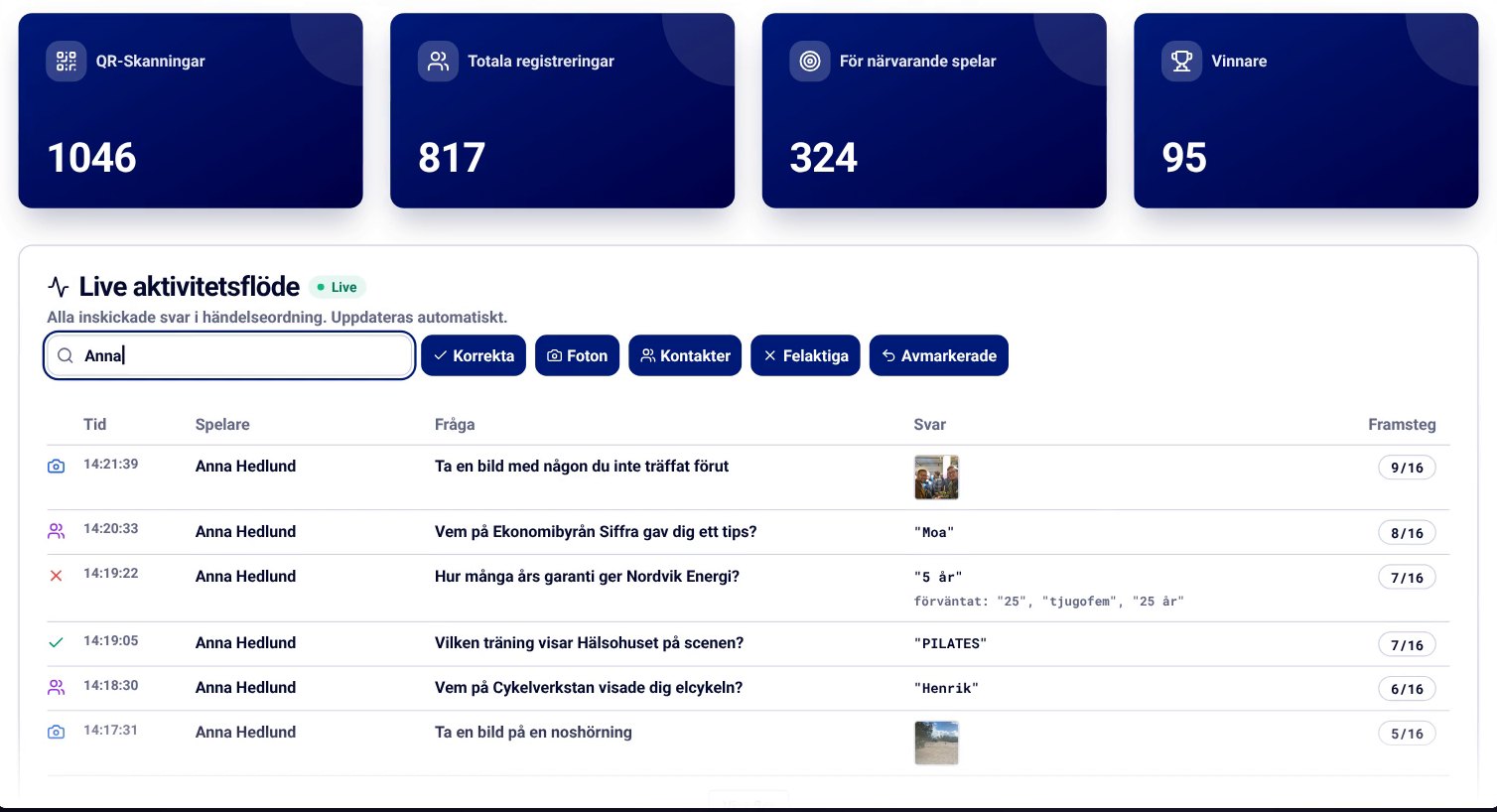
- Event View, liveFollow scans, bingo wins and photos in real time, and draw the winner with one click, ideally on the big screen with presentation mode.
- All the photos afterwardsThe photos from the photo questions are collected in a gallery, ready to share in your channels. You also get statistics, a participant list, a leaderboard, an answer overview and contact data, and can export everything as a report.
- Wrapped for every guestA personal summary after the event: who they met, what they answered, their photos and what they won.
No new system to replace anything
You keep the tools you already have. MingelBingo takes care of what they don't do: getting people to meet and move around between the programme items. We set it up alongside, and guests don't need to download anything.
How it has gone for real
If it doesn't turn out the way you hoped, your next MingelBingo is on us
We know the biggest worry is that nobody will want to play. That's why we offer a satisfaction guarantee, so you can book with complete peace of mind.
Do participants need to download an app?
No. The participant scans a QR code and lands straight on their bingo card in the phone's browser: no accounts, no downloads.
In what ways can MingelBingo be used?
In three ways: to get people to meet at mingles and networking events, to get visitors to explore trade shows and events and collect leads for exhibitors, and as an always-on activity at hotels, amusement parks and arenas.
Can the game look like our own brand?
Yes. We brand the card and the photo frame with your logo, your colours and fonts, and you can adjust everything in the Admin Portal.
What happens to photos and contacts after the event?
All photos from the photo questions are collected in a gallery the organiser owns, and every participant gets a personal Wrapped summary afterwards.
What the platform is, how it works and who it suits
MingelBingo is digital mingle bingo: a bingo card played in the phone's browser. The participant scans a QR code, lands straight on their card without an app or account, and solves squares by finding someone who fits, visiting places, taking photos and answering questions. We write the questions, brand the game and set up the event for the organiser, and the same game is used to get people to meet at mingles, to explore trade shows and conferences, and as an always-on activity at hotels, amusement parks and arenas.
The five question types on the bingo card
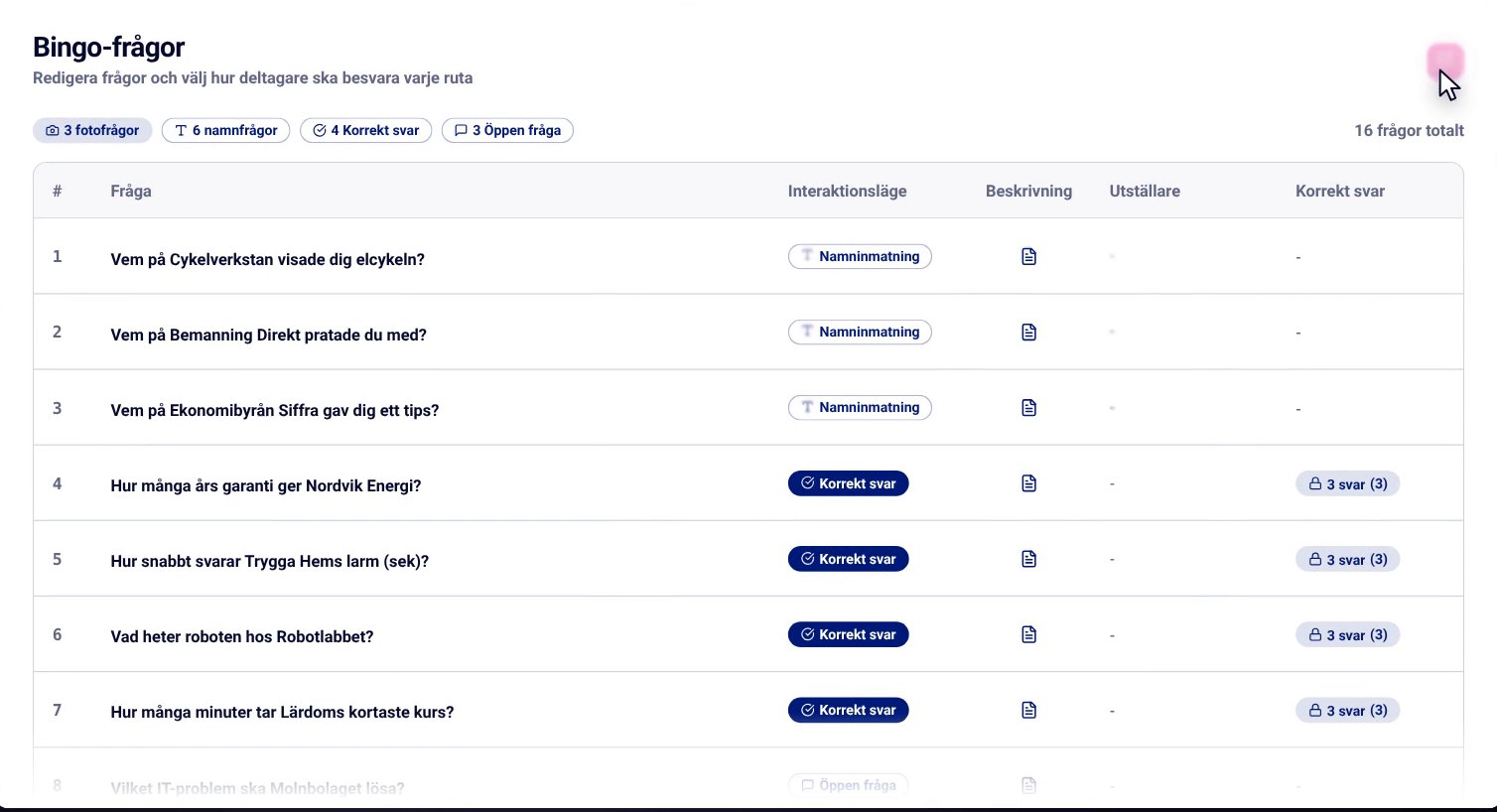
Every square on the card uses one of five question types, and a single card can combine several of them freely. A good mix is 50–60% name questions, about 20% correct answer and letter tiles, 10–15% photo questions and about 10% open questions. We decide which types to include together with you when the questions are written, and you can adjust them in Event View.
- Name questionFind someone who …: the player mingles until they find someone who fits and enters their name. The name is saved in a list in the game, so participants remember who they met.
- Correct answerA knowledge question with an answer key about the company, the industry or clues around the venue. A question can have several correct answers, and flexible marking accepts synonyms. After a wrong answer, up to three hints are unlocked.
- Open questionA reflection question with no answer key at all. The participants' thoughts and ideas are collected in Event View, ready to be highlighted at the close or taken to the management team.
- Photo questionThe participant takes a photo straight from the phone camera, for example a selfie with someone new or a picture of something special on site. The photos are collected in a shared gallery and used automatically in every participant's Wrapped.
- Letter tilesA word puzzle with tappable letter tiles. The player taps the letters in the right order and the word is marked automatically: no typos and no keyboard.
The tools around the game
Besides the bingo card itself, the platform consists of a number of tools that the organiser and any exhibitors use before, during and after the event.
- Event ViewRun an event through three phases: before, during and after. This is where you build the questions, preview the game, follow it live, draw winners and follow up with participants, statistics, photos and Wrapped.
- Branding StudioSet your logo, colours, font (21 to choose from) and frame theme with a live preview before anything is published. An AI suggestion can propose a palette based on an uploaded logo.
- Dynamic QR codeAn already printed QR code whose destination can be changed digitally afterwards. The same sign can point to a new event next time, without reprinting. Included in the Admin Portal for organisations with several events.
- Exhibitor WrappedAfter the expo, every exhibitor gets their own Wrapped via a link, with no login, showing their leads, photos and how many people visited the booth.
- WrappedA personal summary that every participant gets after the event: what they answered, who they met and what they won. A simple reason to come back next time.
Three ways to use the game
The same game is used in three ways, chosen based on what the event should achieve. In Mingle the questions are about people, and every name participants enter is saved in a list in the game, so they remember who they met. In Expo the squares lead visitors to booths, stages and stations, and every exhibitor gets their leads in their own Wrapped afterwards. As an Always-on activity, we build a discovery trail at hotels, amusement parks and arenas that stays all year round.
Who uses MingelBingo
- Kickoffs & company eventsBreaks the ice at internal events where colleagues from different departments or offices don't know each other yet.
- ConferencesGives participants a reason to meet between sessions, with squares linked to the programme, the speakers and the exhibitors.
- Trade show organisersLeads visitors to the exhibitors' booths and gives every exhibitor measurable leads in their own Wrapped after the show.
- Staff partiesGets the whole office involved at Christmas parties and summer parties, with questions that get more people talking to more people than usual.
- Weddings & private partiesA ready-made icebreaker that wedding planners and party venues can offer their guests, branded in the couple's or the party's own colours.
- Hotels, amusement parks & arenasAn always-on discovery trail with questions about details that can only be found on site, followed up in the Admin Portal.
- Hotels & conference venuesOffer MingelBingo as an add-on when guests book a conference, kickoff, Christmas dinner or wedding.

Digital mingle bingo: the game that gets people to meet, move around and discover more.