Event View: everything for an event, before, during and after
Every event has its own view that follows the event's three phases. You prepare the questions, run the game live and follow up afterwards, with the right tools at the right time.
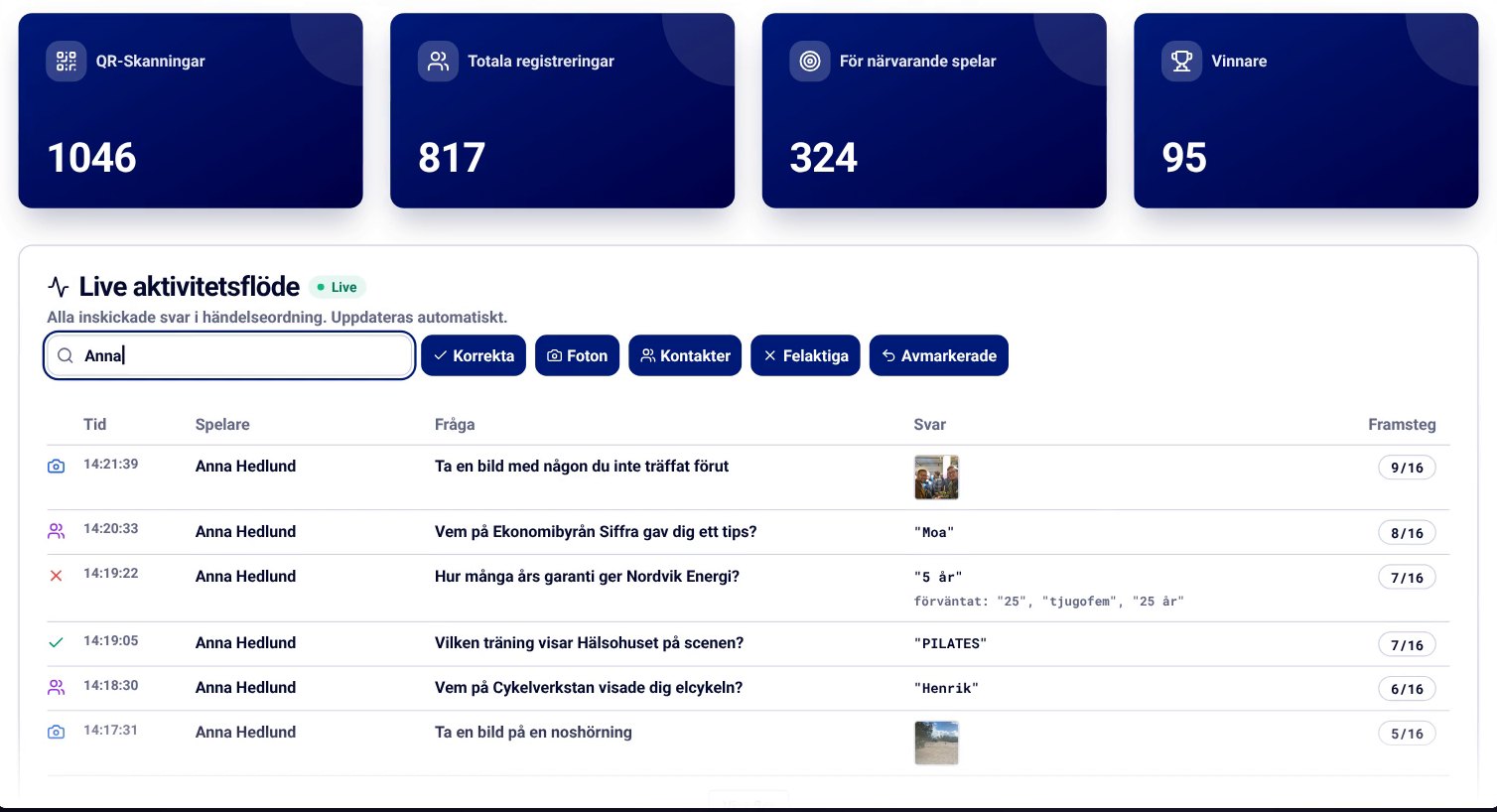
The right tools at the right time
Prepare
Build the card, add exhibitors and test the game as a participant.
Run it live
Follow the game in real time, draw winners, reach all participants instantly and show the game on the big screen.
Follow up
Participants, statistics, leads, photos and a personal Wrapped for everyone.
The Admin Portal brings the whole organisation together
For those of you running more than one event, the Admin Portal sits on top of Event View. That's where you create new events with your default branding and see everything in one place. Read about the Admin Portal.
- An overview with KPIs for all your events
- An event library with search and status
- Shared branding and a dynamic QR code
- Your own templates and analytics over time
The questions that usually come up
What is Event View?
The organiser's view for a single event. It follows the event's three phases (before, during and after) and shows the tools that are relevant at that moment.
Which views are there in each phase?
Before: questions, exhibitors and preview. During: live, winners and notifications. After: participants, statistics, exhibitor results, photos and Wrapped.
We run lots of events, is there a combined view?
Yes. In the Admin Portal you see all the organisation's events, your branding, your templates and your statistics in one place.

Digital mingle bingo: the game that gets people to meet, move around and discover more.