Wedding bingo: a free mingle bingo template and questions for the wedding
At a wedding two families and two circles of friends meet who have often never met. Mingle bingo gives everyone a reason to talk to each other straight after the ceremony. Here are ready-made wedding questions, photo questions and a free template to print.
Why mingle bingo suits weddings
The bride's cousins, the groom's colleagues and childhood friends from both sides: at a wedding many people stand next to people they've never met. Mingle bingo makes it easy to start talking, and the questions about the couple mean everyone learns something new about them.
For the toastmaster and the hosts, the card becomes a simple addition that fills the time between the ceremony and dinner, and gives a winner to announce during the evening.
Wedding mingle bingo: questions to use
Pick freely for your own card. All questions start with “Find someone who…”. The photo questions work best in digital mingle bingo.
Questions about the couple
Find someone who…- has known the couple longest
- was there when the couple met
- knows where the couple had their first date
- can tell you how the proposal went
- has been on holiday with the couple
- can show a photo of the couple nobody else has seen
- knows which of them is more of a morning person
- has given the couple good advice for married life
Between the guests
Find someone who…- has travelled furthest to the wedding
- has been married for more than ten years
- has been to the most weddings this year
- got married at the same time of year
- already knows someone from “the other side”
- has given a speech at a wedding
- has caught the bouquet
- has the same birth month as one of the couple
During the party
Find someone who…- can dance the waltz
- has a song they always want to hear at a wedding
- has cried with joy today
- has a piece of cake left on their plate
- can teach you a dance step
- has written something in the guest book
Photo questions
Best in digital mingle bingo- Take a selfie with someone from “the other side”
- Take a photo with the couple
- Take a group photo with everyone who has known the couple for more than ten years
- Take a photo on the dance floor with someone you've just met
- Take a toast photo with someone from another table
Skip the paper and pens, play a real card now
Scan the QR code with your phone or tap the button, and you're playing MingelBingo straight in the browser, with no app. The same game as on paper, but with photo questions right in the phone camera and squares that are marked instantly.

Free template to print
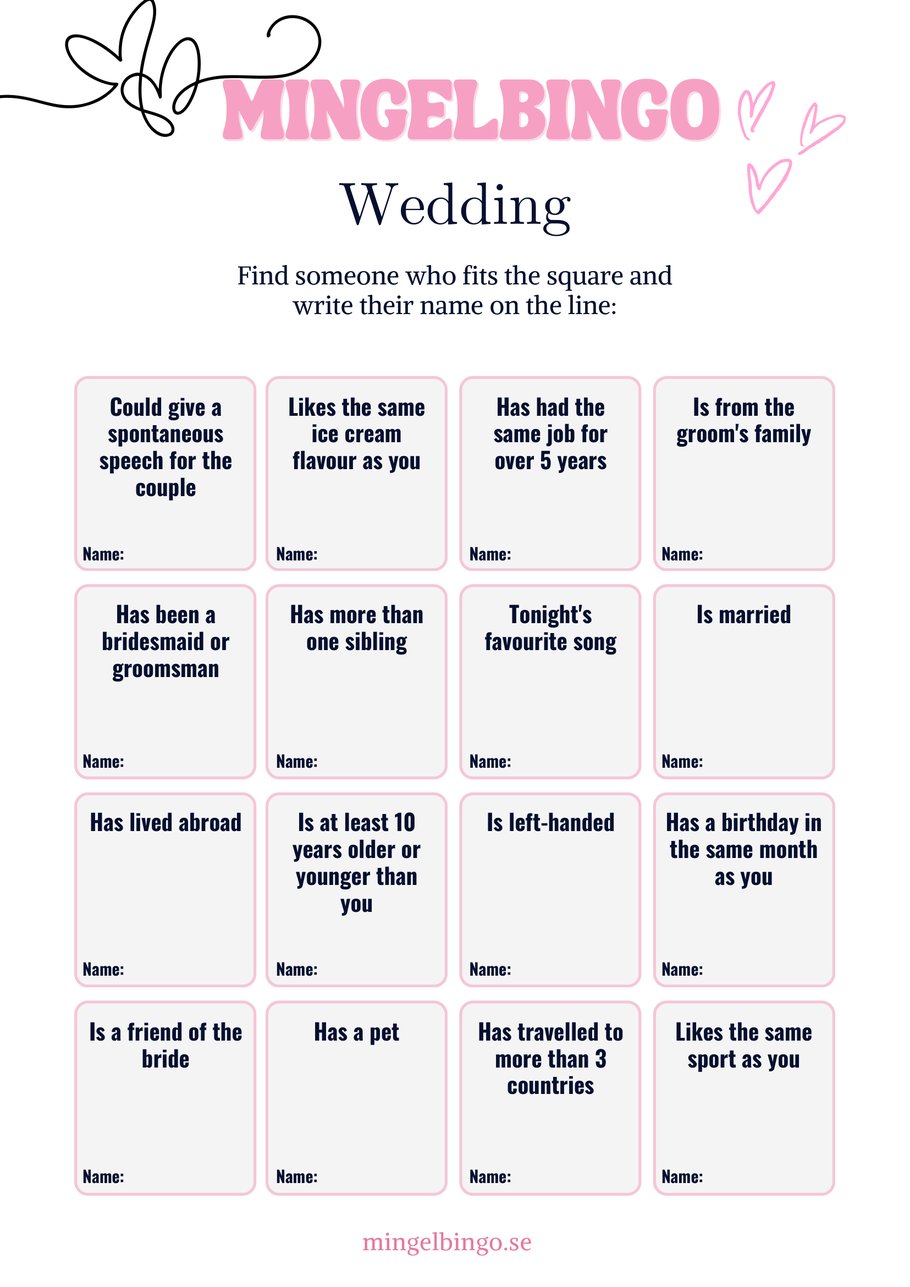
A ready-made 4×4 card with 16 questions, or the blank template where you write your own squares.
Make your card digital, for free
Choose a template, type in the event's name and date, your name and your email, and your digital mingle bingo is created straight away. The link and the QR code are shown here on the page and emailed to you.
- ✓The same theme as the template, with name questions, correct answer, letter tiles and photo questions
- ✓Guests scan the QR code and play on their phones, with no app
- ✓Free for the whole event, however many guests you are
Want your own logo and your colours, Event View with all the photos and answers, and a personal Wrapped for every guest afterwards? That's included in a full event from SEK 3,500. See pricing
Tips for a successful mingle bingo
- Put the card by the guest's name card or by the welcome drink. Then everyone finds it straight away and the game gets going during the mingle before dinner.
- Let the toastmaster explain the rules. 30 seconds is enough, and the winner can be announced between speeches.
- Mix questions about the couple with questions about the guests. Questions about the couple give stories, questions about the guests give new acquaintances.
- Collect the photos. The photo questions give the couple photos from the evening from the guests' perspective.
Frequently asked questions
How do you do mingle bingo at a wedding?
Choose 16 questions about the couple and the guests, print one card per guest and put it by the guest's name card or the welcome drink. The first to get four in a row wins. Digitally, guests scan a QR code and play on their phones.
Can I get the template digitally?
Yes, for free. Choose a template and type your name, your email and the event's name into the form, and your digital card is created straight away. The link and the QR code are shown on the page and emailed to you.
Which questions work in wedding bingo?
Questions about how the guests know the couple and questions that get both sides meeting, for example “Find someone who was there when the couple met” or “Find someone from the other side”.
When during the wedding should you play mingle bingo?
During the mingle between the ceremony and dinner. The winner can be announced during dinner, ideally by the toastmaster.
Do you organise weddings or wedding fairs?
For wedding planners, party venues and fairs, MingelBingo is available as a digital, branded service, see our page about weddings.
More questions and templates

Digital mingle bingo: the game that gets people to meet, move around and discover more.